Home Screen of Regain Gmail Backup and Migration Software.
Enter Valid Login Details of Gmail Account
Note: All Email Clients does not allow you to directly connect with Third party tool, To Connect Email Client with the software, You need to follow these steps.
Enter 16 Digit App Generated Password instead of Original Password. Know How to Generate App Password: Click Here

Shows preview of all available Gmail folders

Select the destination location and desired Saving Email format.

Click on Convert Now button to Backup Gmail Mailbox to your Local system.
Gmail to Cloud Migration
After Scanning, Click on Cloud Migration button and then migrate Gmail Mailbox to Various email servers.
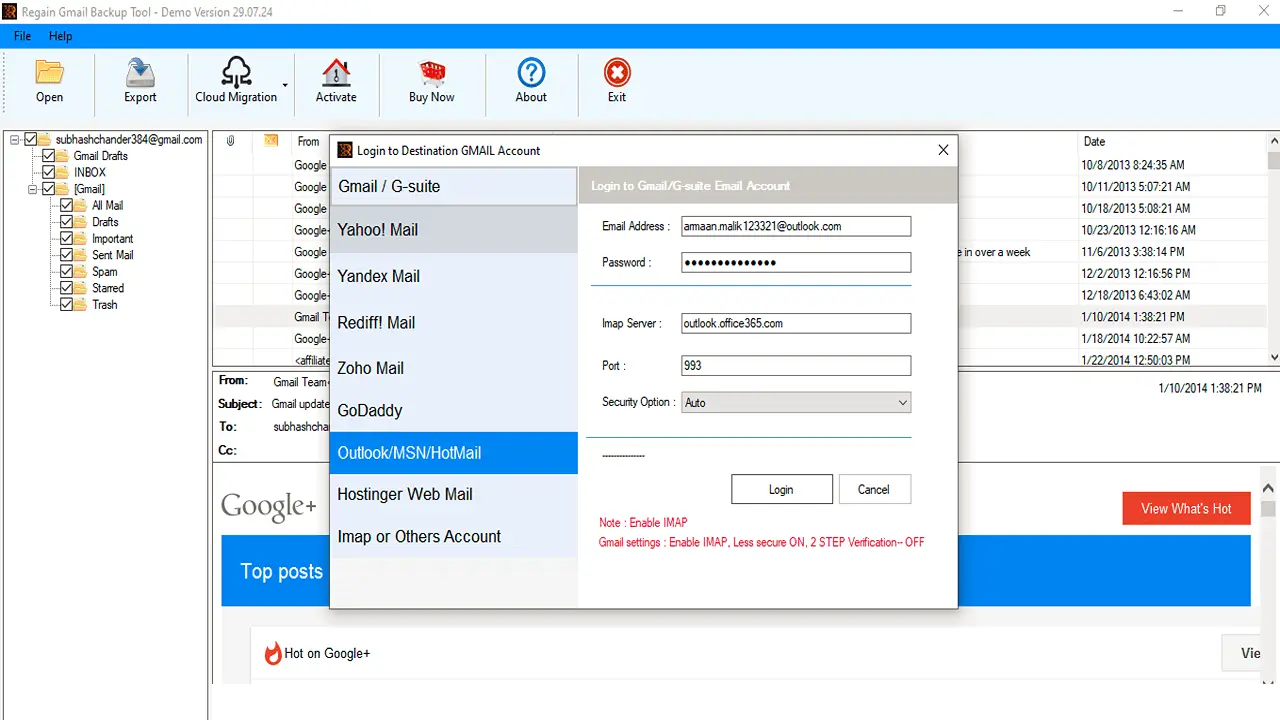
Gmail to Office 365 Migration

