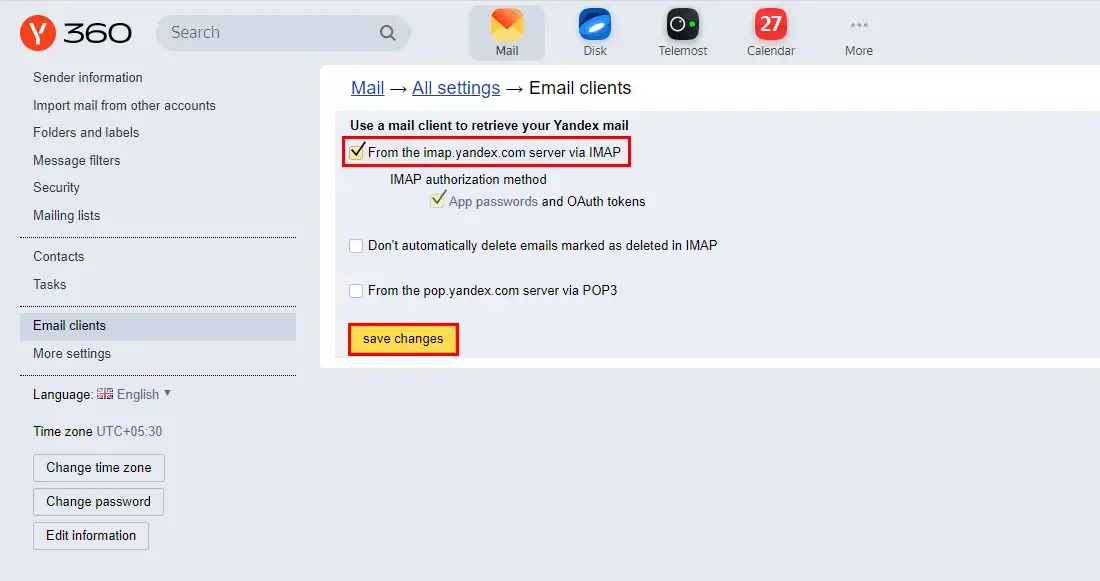
Must Enable the IMAP for Accessing the Yandex Mail account by App Password.
Sign In to your Yandex Mail Account. (Click here to visit login page)
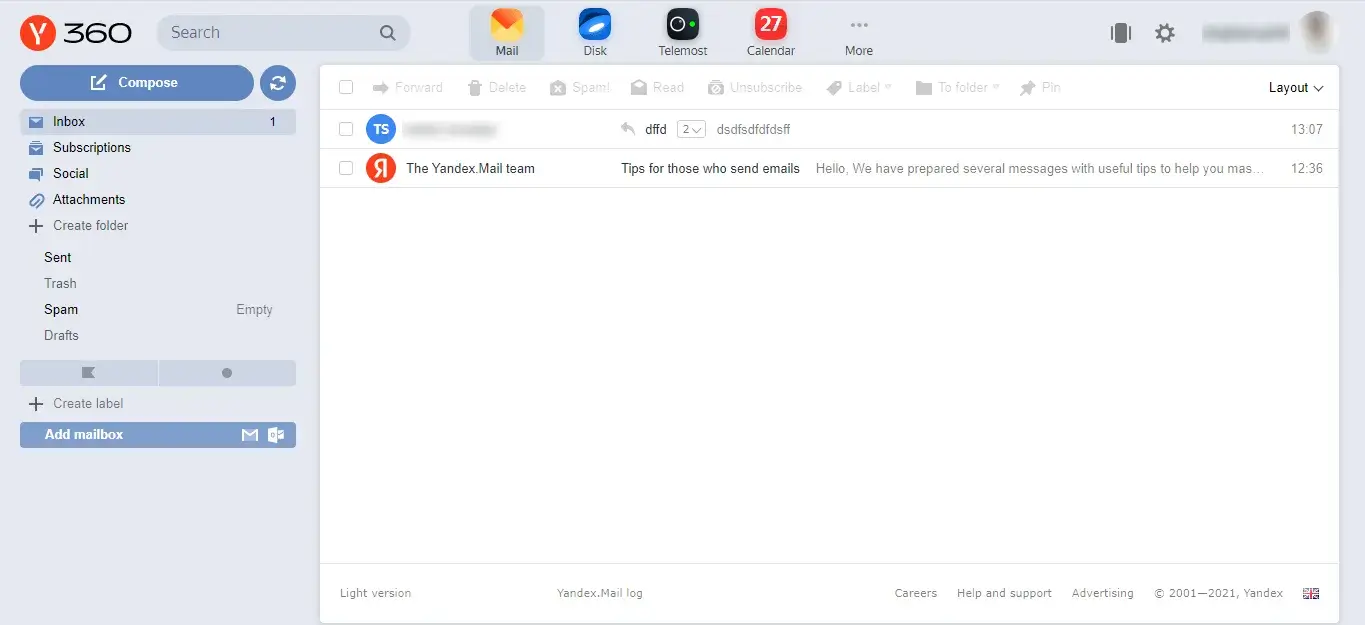
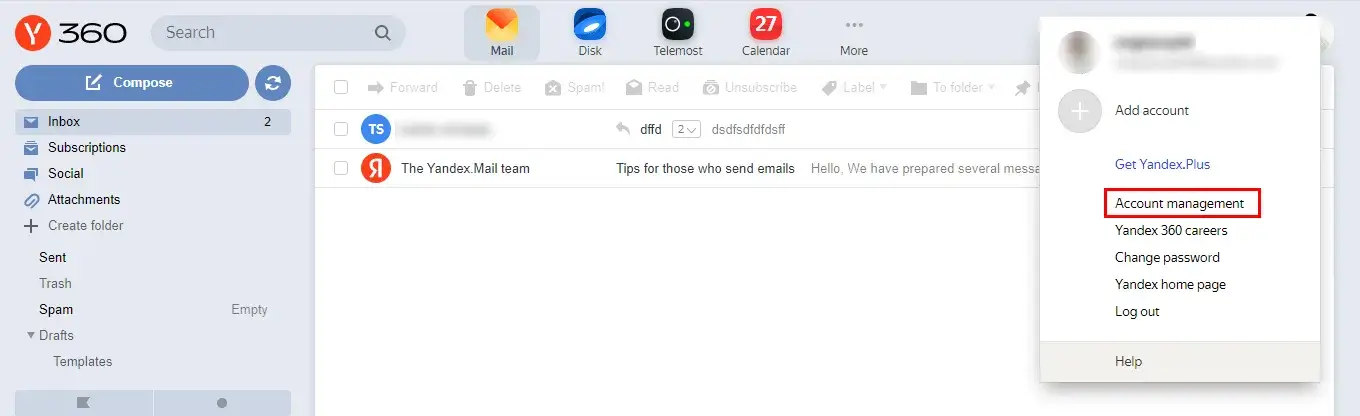
Click on the Profile option and choose the option Account Management.
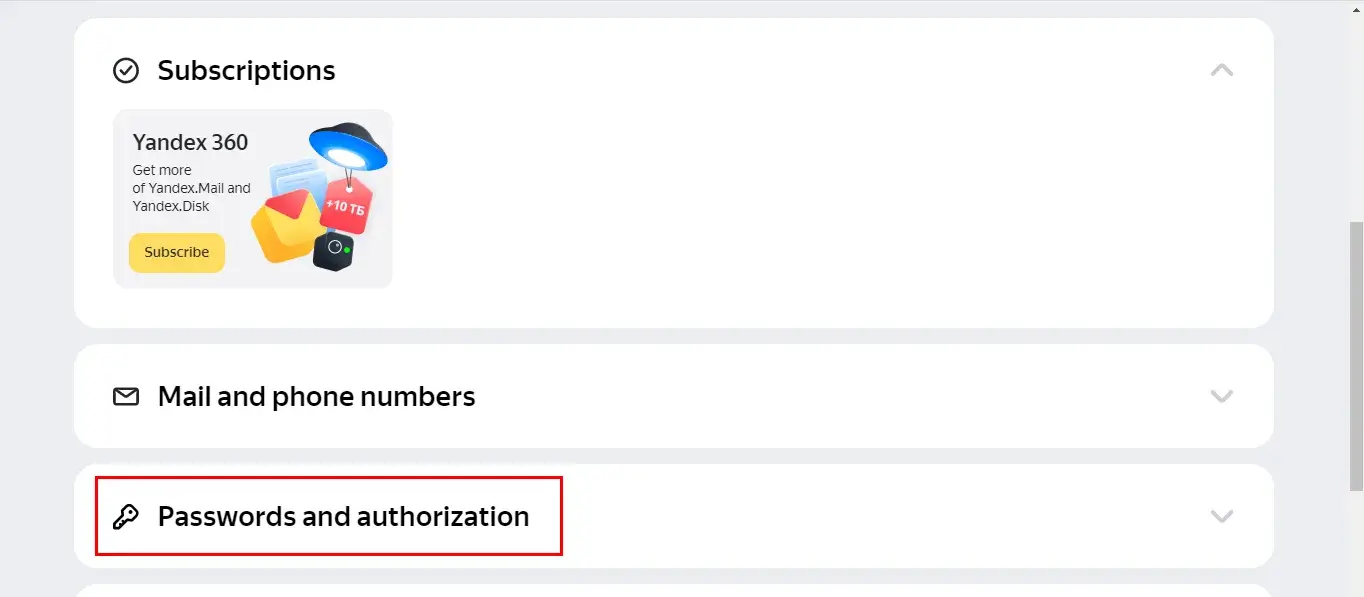
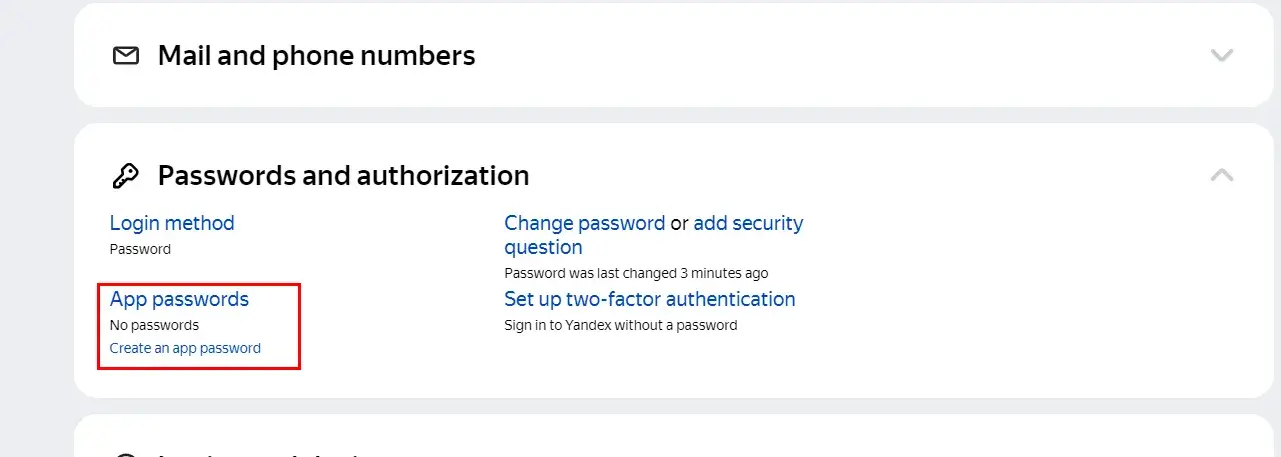
Here, the Yandex profile will display. Click on the option Passwords and Authorization.
After that, click on the App Password option under passwords and authorization.
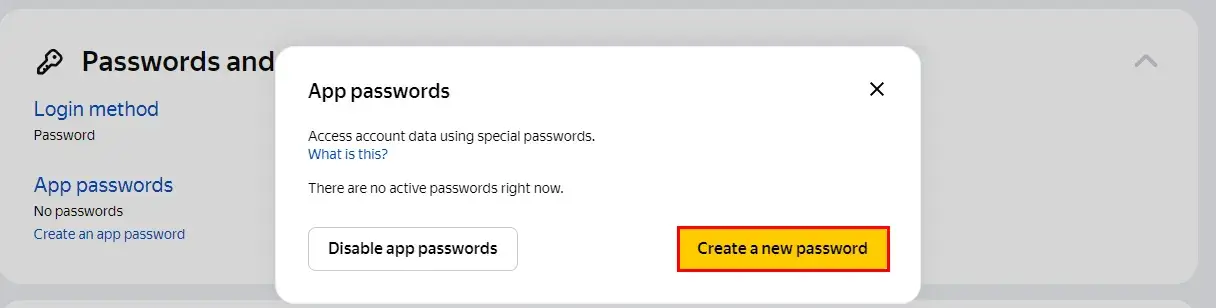
Now, you will get a pop-up of App passwords, click on the button Create a new Password.
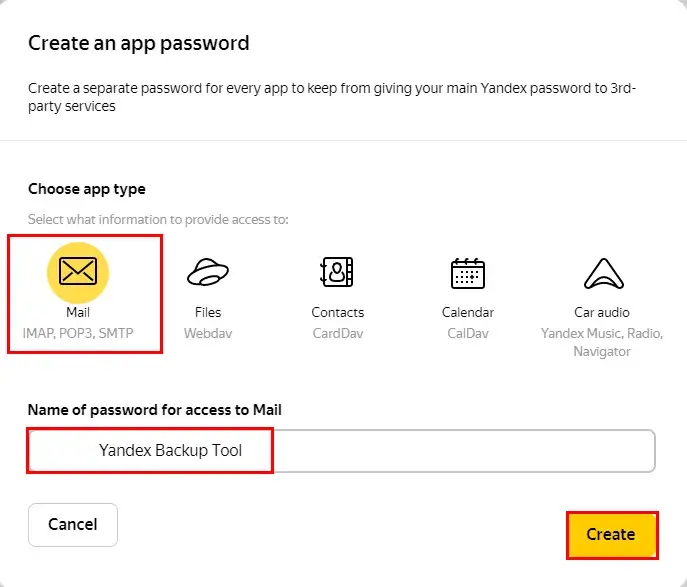
Choose the App type as Mail and enter the name of the password. (Can enter anything as per own choice) Also, tap the Create button.
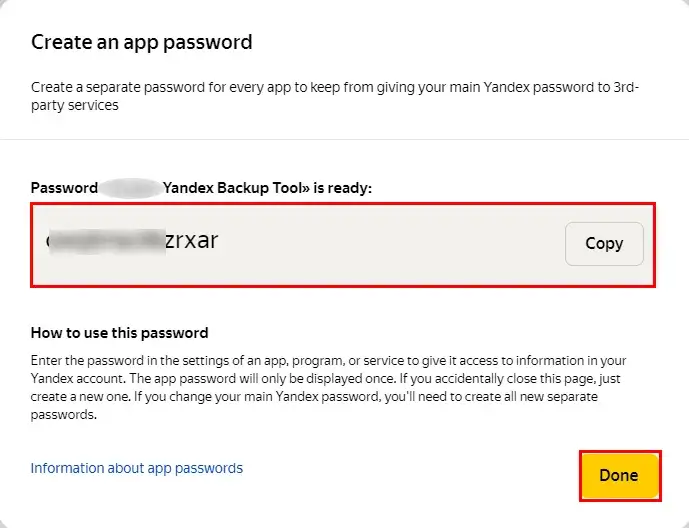
Successfully created the app password of your Yandex Mail account. Click on the Done button to close the settings.
Follow the below steps to enable IMAP Access for your Yandex Mail account.
Log in to your Yandex Mail account.
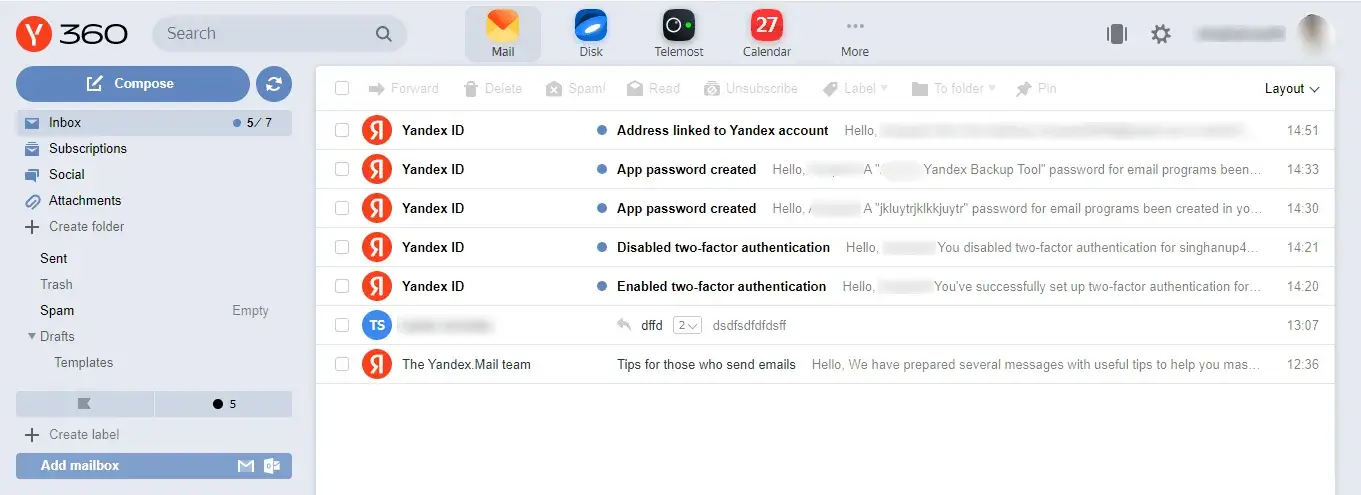
Log in to your Yandex Mail account.
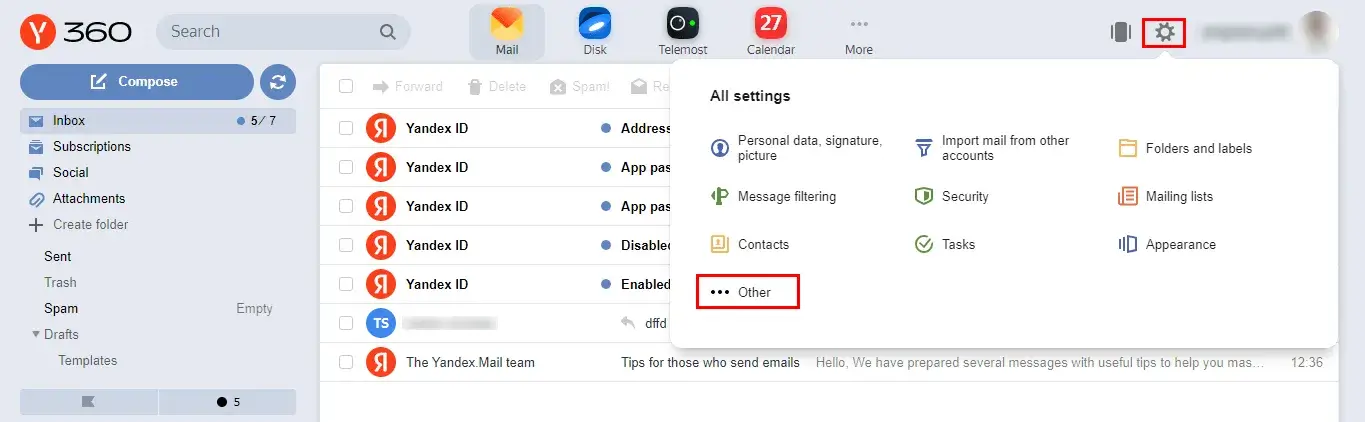
Click on the Gear option from the Mailbox wizard and tap the option Other.
From the left-side navigation, select the Email Clients.
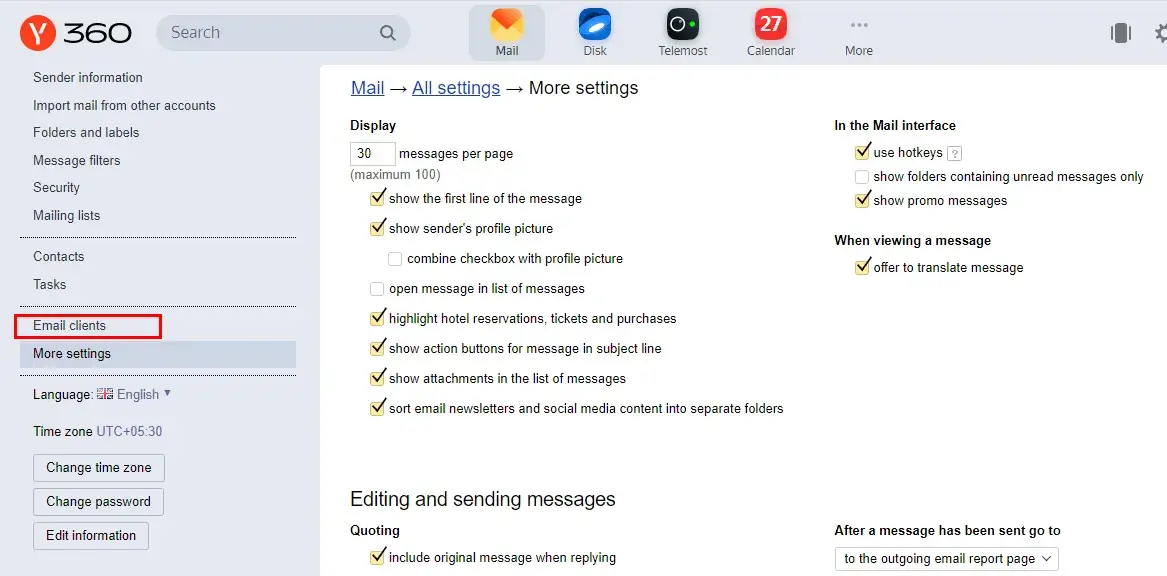
After that, check the option From the imap.yandex.com server via IMAP. Also, tap the Save Changes button.