Migrate Rackspace to Office 365, Gmail, and Other Email Platforms


Updated On - September 2, 2025 by Nasir Khan | Reading Time: 3 minutes
Rackspace isn’t a new thing for technical enthusiasts, as this cloud computing company offers a standard email service. Rackspace offers various plans like the Standard Plan, Email Plus, and so on. Professionals use Rackspace for email services as a paid service. But we know that changes are part of life, and change in email service isn’t a new thing. If you are a Rackspace user and want to migrate Rackspace to Office 365/ Gmail and other email platforms, then this blog is for you.
Learn more about our Professional Regain IMAP to IMAP Migration tool
How to Migrate Rackspace Emails?
If you are looking for a free manual method to migrate the Rackspace email, then knowing this won’t be very pleasant for you to know that there is not a such satisfactory manual method. Rackspace is a business email service; hence, they should go with the professional solution. However, manual workarounds are available, but they are not for professionals:
Manual Steps to Migrate Rackspace to Gmail:
Firstly, log in to the Gmail account in which you want to migrate the Rackspace emails.
- Click on the Gear icon and then See all Settings.

- Under the Accounts and Import >>Add a mail account.

- Now, enter your Rackspace login credentials and click Next.

- Select “Import emails from any other account (POP3)” and click Next.
- For the POP, enter Port 995 and secure.emailsrvr.com.
- Finally, click on the Add Account and follow the steps accordingly.
In this way, you can add your Rackspace email account to Gmail, but it is not a way to migrate the emails.
Prerequisites and Manual Steps for the Rackspace to Office 365 Migration:
- Log in to your Rackspace admin portal.
- In Rackspace, unhide the objects and verify that there is no restriction on visibility.
- Note the Identification details like the Port number and the Server of Rackspace.
- Go to your Office 365 admin center, provide your business domain, and verify DNS records.
- From the Exchange Admin Centre, create the migration endpoints.
- Create a CSV file with user details. Start migration and keep an eye on the migration batches.
Things to Know Before Moving with Manual Ways:
For the professional handling of emails, manual ways are not recommended. Below are the reasons;
- You may lose your folder hierarchy and email attributes while exporting manually.
- Technical expertise is a must, and a single wrong step may lead to data loss.
- It is a very slow process, hence not recommended for professionals. It is not as simple as it looks.
- Attachments and some meta-properties may get missing while migrating.
So, How Do Professionals Migrate Rackspace Emails?
Here, we have an advanced professional tool named Regain Rackspace Migration Tool to migrate Rackspace emails. Users can export Rackspace emails to various targets like Office 365 and Gmail just following the given steps:
Free Download100% Secure Buy NowPrice: $99
- Install and run the Regain Rackspace Migration Tool.
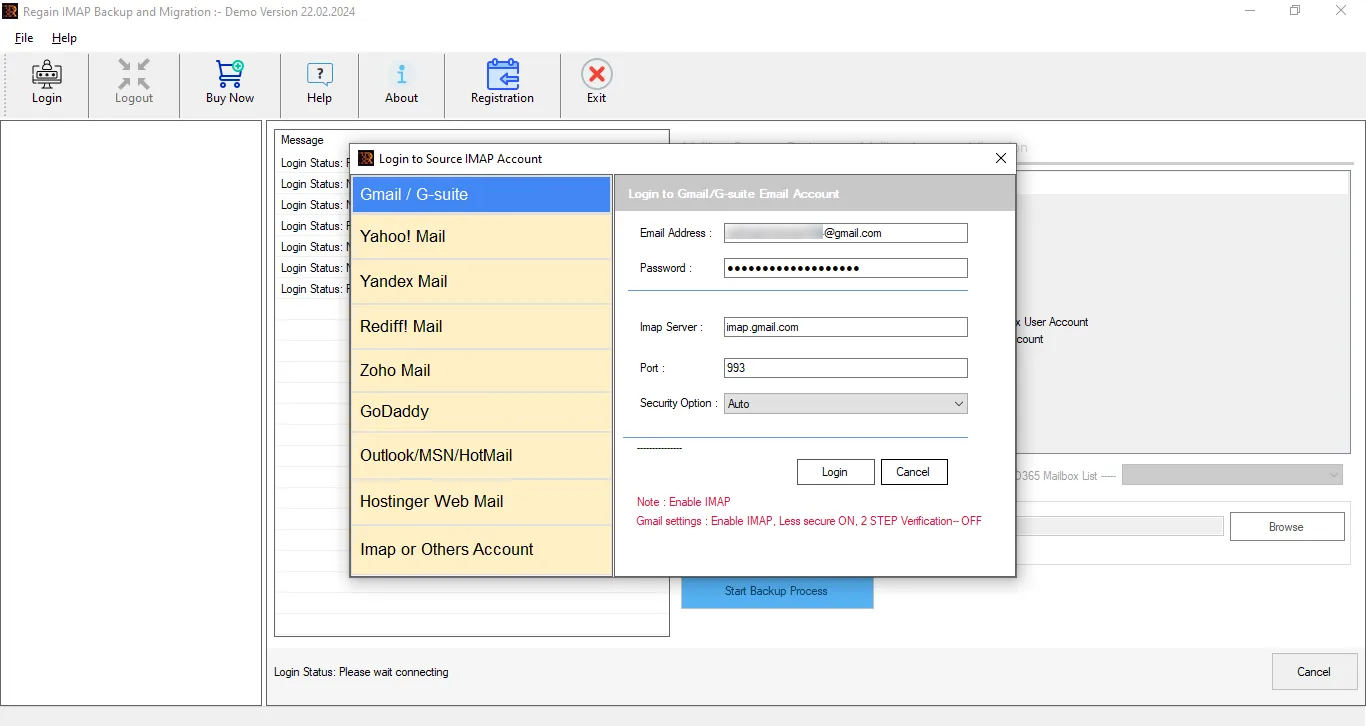
- Enter the credentials of the Rackspace account to log in and create a connection.
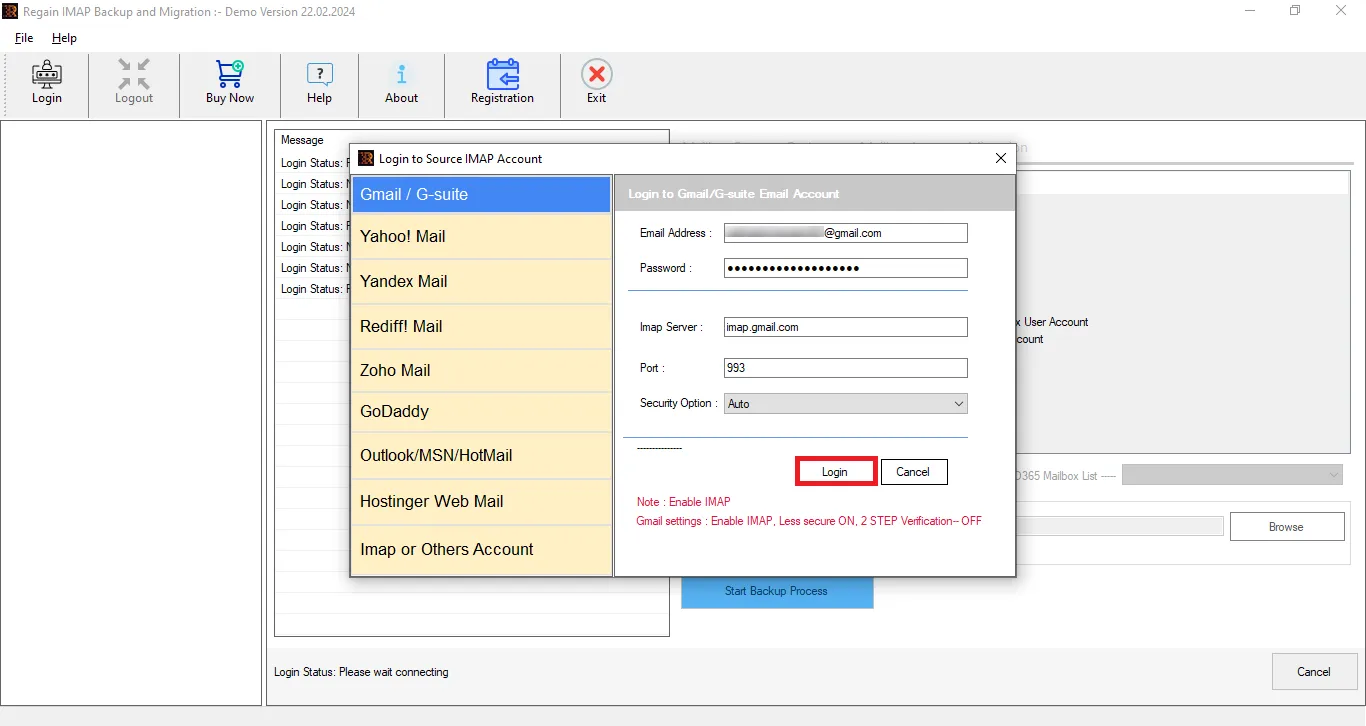
- The software will connect and preview the mailbox data.
- Here, you can also unselect the folders before exporting.

- Now select your target as per the need. It supports both basic and modern authentication for Office 365.
- Move accordingly, and Rackspace email migration will start.
Why Regain Rackspace Migration Tool is a One-Stop Solution?
If you have any task related to any of the Email clients/servers that use IMAP, then Regain Rackspace Migration Tool is a one-stop solution. See how it helps professionals:
- Users can migrate Rackspace to Office 365 as well as Gmail.
- It can also export from IMAP using email clients/ servers like Zoho, Amazon Workmail, AOL, to any other.
- Users can speedily migrate multiple mailboxes with no size limitations.
- It provides a preview of the IMAP mailbox, and you can filter out the folders by unchecking them.
- Moreover, it also allows saving IMAP emails to various file formats like PST, EML, EMLX, MSG, MBOX, PDF, and HTML, like popular file formats.
- If you want to test the software, then this utility also provides a demo version.
- This software is compatible with all versions of Windows OS and also offers a free 24*7 technical support for users.
Wrapping Up:
If you are a Rackspace user but now want to migrate Rackspace to Office 365 or Gmail, or any other IMAP email client/server, here is a solution for you. Regain Rackspace Email Migration Tool is a one-stop solution to migrate Rackspace emails efficiently and effortlessly. Moreover, you can back up the Rackspace emails in various popular file formats. A trial version of this software is also available; install the software and have a demo.
Related Articles:


