Why Is There a Market Trend to Migrate Horde Mail to Microsoft 365?


Published On - October 1, 2026 by Nasir Khan | Reading Time: 3 minutes
Are you thinking of migrating Horde Mail to Microsoft 365 (formerly Office 365) but are confused about where to start?. Here, in this article, you will learn why and how to migrate emails from Horde Mail to Office 365 using both manual and professional methods, their limitations, and the most professional solution to simplify the process. Moreover, we will have a look at the reasons because of which there is a tilt toward Microsoft 365.
Why Do Users Migrate Horde Mail to Office 365?
Organizations may consider to migrate Horde Mail to Microsoft 365 for several reasons. Some common ones are listed below:
- No Support from cPanel and Plesk: Prominent platforms like cPanel and Plesk no longer support Horde Mail. Horde is no longer installable in these. Meanwhile, it will not receive the updates and technical support.
- Microsoft 365 Offers One-stop Solution: Microsoft 365 provides a modern cloud-based email experience with Outlook and other productivity applications. Professionals get all the necessary applications and services in a single subscription. Microsoft 365 offers Exchange Online, SharePoint Online, Teams, Outlook, Excel, and OneDrive like services.
- Microsoft 365 is Cost-Efficient: If a user/organisation requires multiple daily-use applications, then using Microsoft 365 is cost–efficient. Here, with a single subscription, users get all top-notch services. On the other hand, still after using the Horde Mail, users need various other applications.
- Enhanced Email Security: Microsoft 365 provides advanced security features like spam filtering, encryption to protect emails, MFA and sensitive information. Moreover, Microsoft is technically advanced when compared with Horde. Microsoft Defender and Microsoft Purview (DLP) are some examples of security features.
Moreover, users may also have other choices as the target, out of which the Horde Mail to Google Workspace shift is one of the common ones.
Methods to Transfer Horde Mail to Microsoft 365
Here we have discussed two methods by which you can migrate Horde Webmail: the first is the manual method, and the second is the professional method. You can choose the method as per your needs and data importance.
Manual Method to Migrate Horde Webmail to Office 365 via Thunderbird
- Step 1: Download and install Mozilla Thunderbird on your computer.
- Step 2: Open Thunderbird and add your Horde email account using its IMAP server details.

- Step 3: Allow Thunderbird to synchronize the Horde mailbox.
- Step 4: Add the destination Microsoft 365 account to Thunderbird using Microsoft 365 authentication.
- Step 5: Allow Thunderbird to load the Exchange Online mailbox.
- Step 6: Create the required folders in the Microsoft 365 mailbox to match the Horde mailbox structure.
- Step 7: Open the Horde account and select the emails or folders you want to migrate.
- Step 8: Lastly, right-click the selected emails and choose Copy To, then select the corresponding Microsoft 365 folder.
- Step 9: Wait for the emails to transfer. Sooner, your Horde Mail to Microsoft 365 migration task will be completed.


Things You Should Be Aware of Before Using the Manual Method:
You can use the manual method given above, but it may come with several issues, which are as follows:
- Time-Consuming Process: Transferring emails manually takes a lot of time, especially for large mailboxes.
- Folder Structure Issues: Folder hierarchy may not be maintained.
- Incomplete Migration: In many cases, users have faced the issue of the incomplete migration and found the email in the target in not in a manner as they were in source.
- Requires Technical Knowledge: Users need to be technically sound to understand the manual server settings.
- No Bulk Migration Support – Managing multiple mailboxes manually can be difficult and inefficient.
Method 2: Migrate with Professional Tool (Regain Horde Mail Migration Tool)
To make the migration process fast, secure, and hassle-free, using the Regain Horde Mail to Microsoft 365 Migration Tool (Regain IMAP to Office 365 Migration Tool) is highly recommended. This tool is designed to provide a professional solution for users.
Free Download100% Secure Buy NowPrice: $49
Steps to Migrate Horde Mail to Microsoft 365 Using a Professional Tool
- Step 1: Download and install the Regain IMAP to Office 365 Migration Tool on your system.
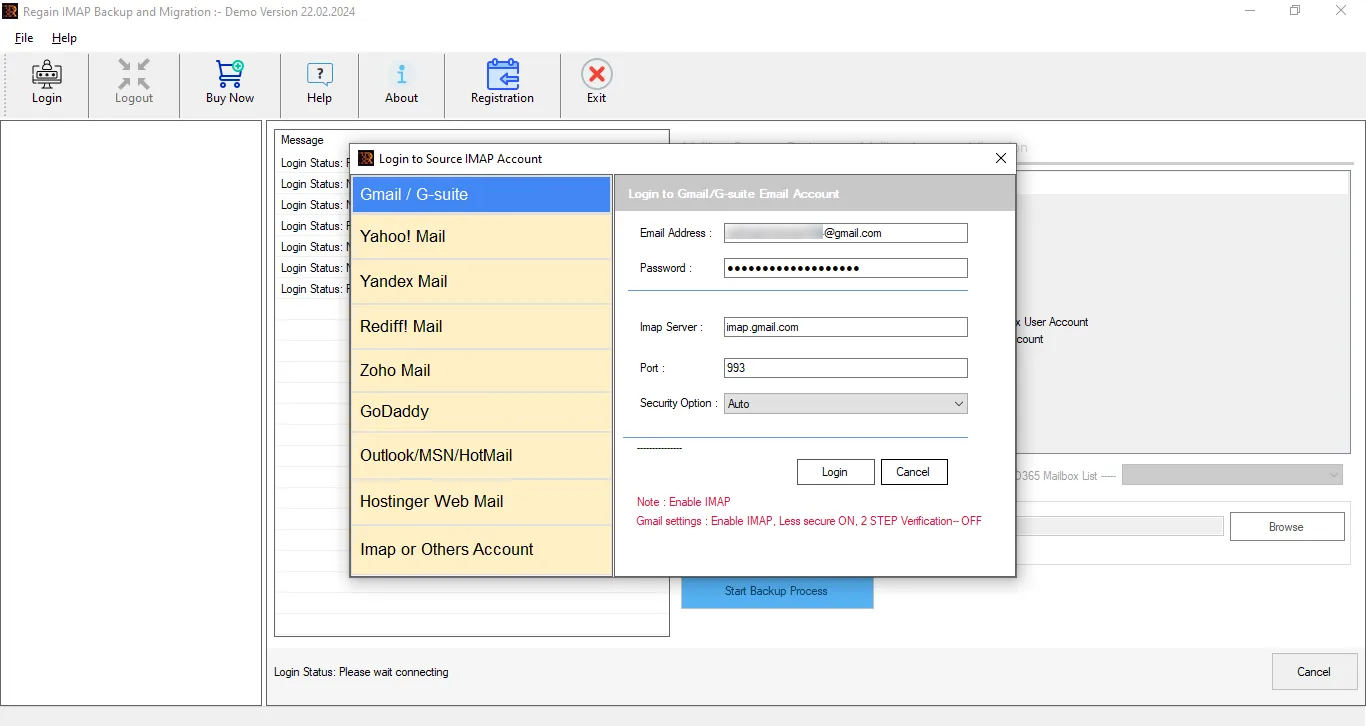
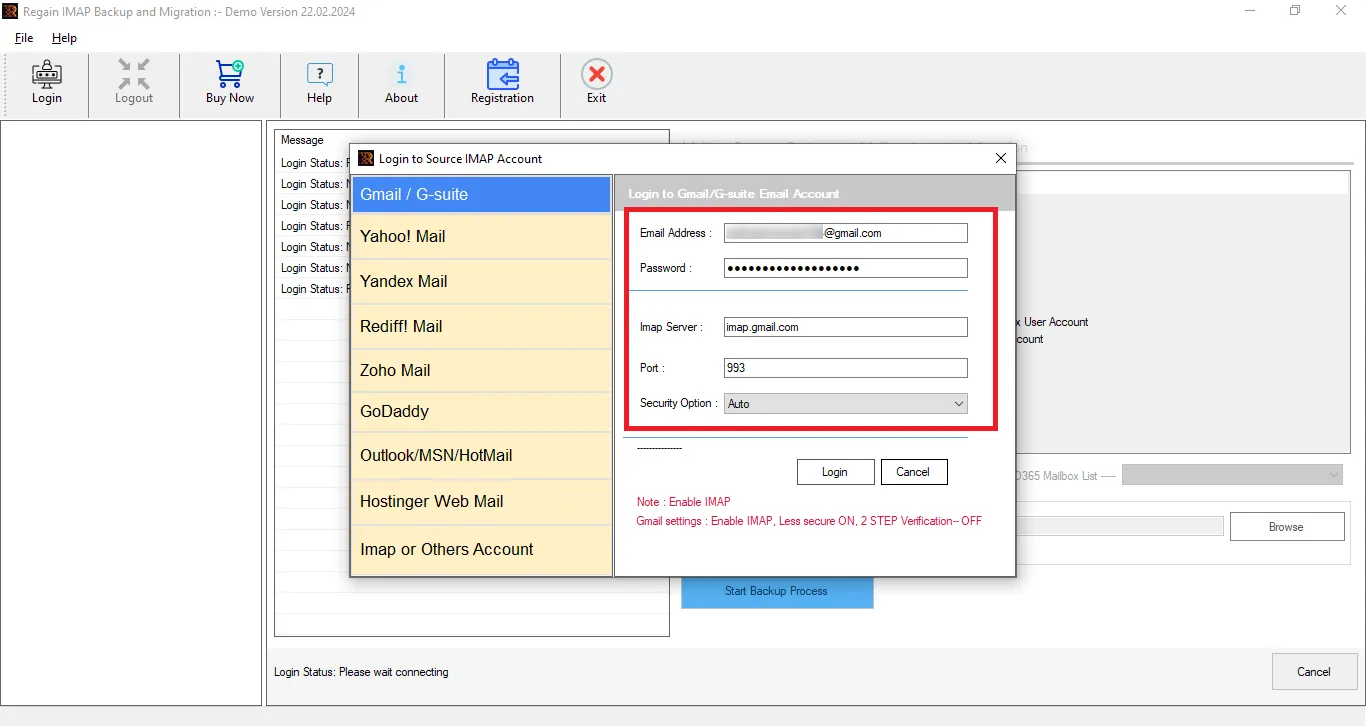
- Step 2: Select the IMAP or Other Accounts option and enter your Horde Mail email address and password to create a connection.
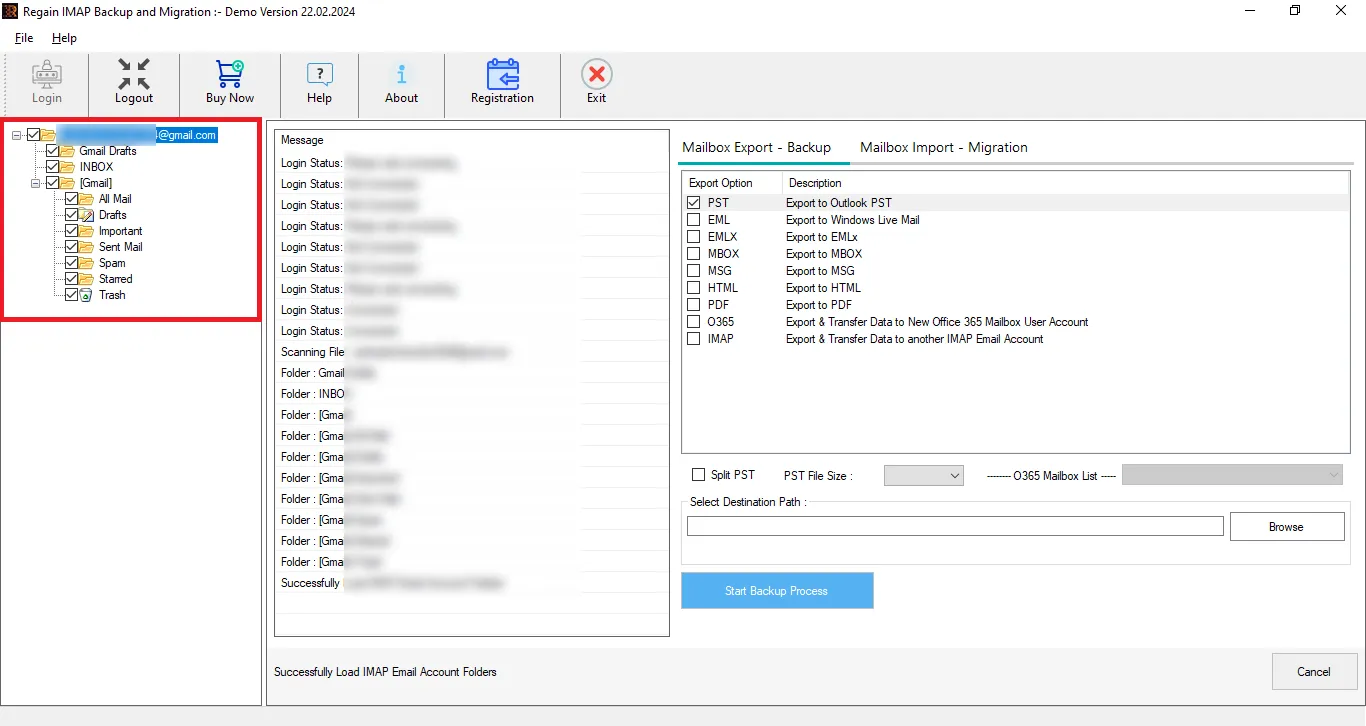
- Step 3: Now you can preview your Horde mailbox. You can also uncheck the folders to exclude them.
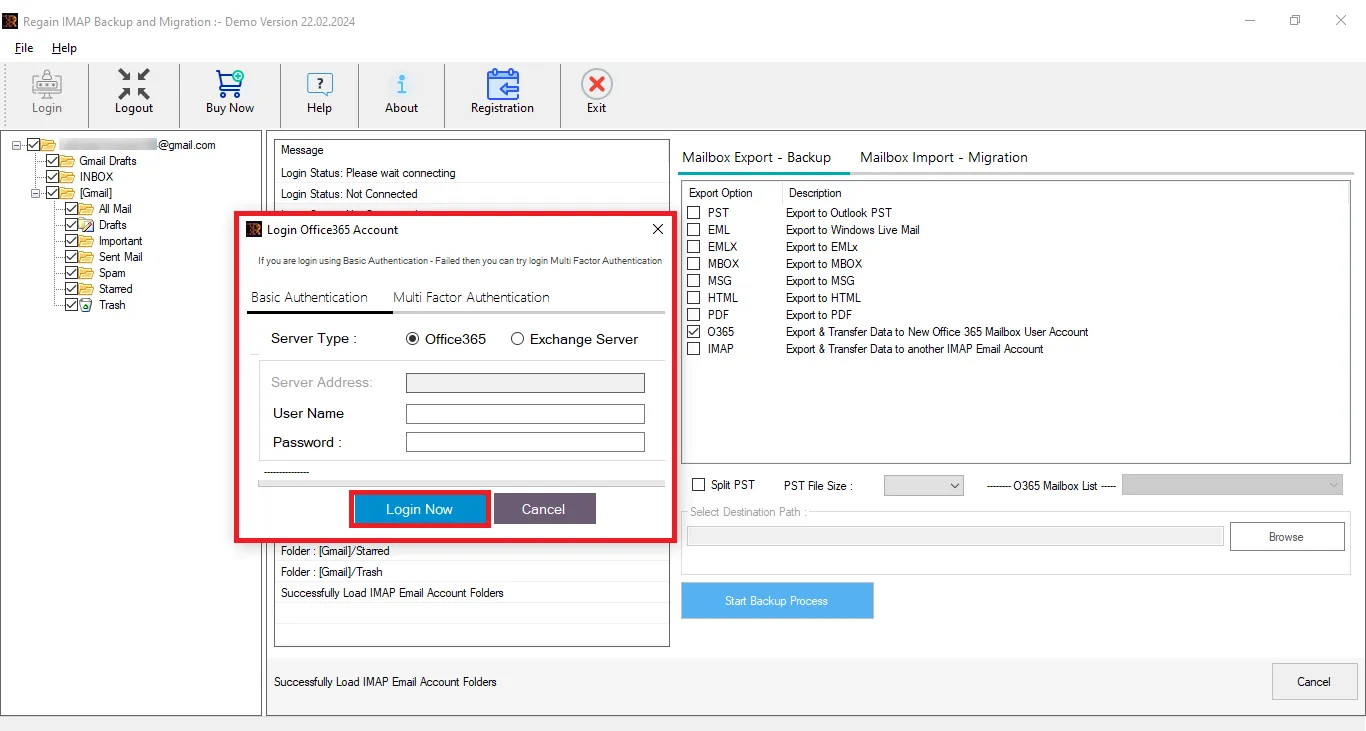
- Step 4: Choose your target email service (Microsoft 365). Enter the required credentials; this utility supports MFA.
- Step 5: After connecting to the destination, just start the migration.
Features Offered By Regain Horde Mail to Microsoft 365 Migration Tool
- Migrate from any IMAP email account (Horde Mail) to Microsoft 365 or Exchange Server On-Premises (all versions supported).
- Allows users to preview mailboxes and select/deselect folders before export.
- There are no limitations on the number of mailboxes and the size of IMAP account mailboxes.
- Users can also save their Horde emails into PST, MBOX, EML, PDF, and MSG file formats.
- In addition, this utility is also capable of exporting Horde webmail to Google Workspace/Gmail and all IMAP email accounts.
- This tool ensures that the original folder structure of your emails and hierarchy remains intact throughout the complete export process.
- This professional utility is fully compatible with all Windows OS versions.
- A free demo version of this utility is also available; more free technical assistance is just a click away.
Wrapping Up:
Migrating Horde Webmail to Microsoft 365 manually through Thunderbird can work for a few emails, but managing a large number of emails and folders can quickly become time-consuming; hence, professionals don’t prefer it.
Regain Horde Mail to Microsoft 365 Migration Tool / Regain IMAP to Office 365 Migration Tool provides a simpler way to migrate Horde Webmail data to Microsoft 365 mailboxes. It reduces the need for lengthy manual procedures and helps users migrate mailbox data with minimal technical effort. Moreover, a free trial version is also available, so users can use this utility before purchasing the license.
Video Tutorial for Horde Mail to Microsoft 365 Migration using Regain Software

