Using Regain Office 365 to PST Converter Software
Follow the below steps to migrate from Office 365 account to Outlook PST files using Regain Office 365 to PST Converter software:
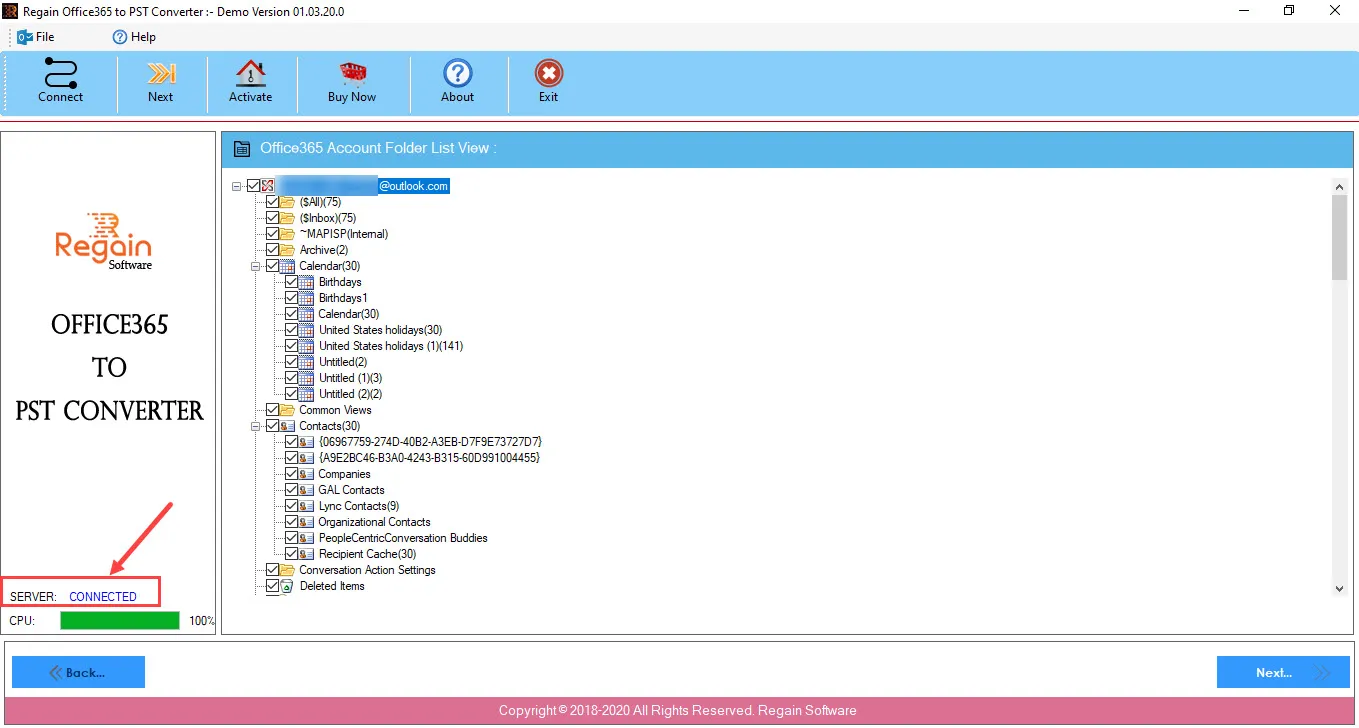
- On successful login with Office 365 account, the Login Status will appear as Connected and the software will display the Office 365 account folders in a hierarchical list view.
- Click Next to proceed.
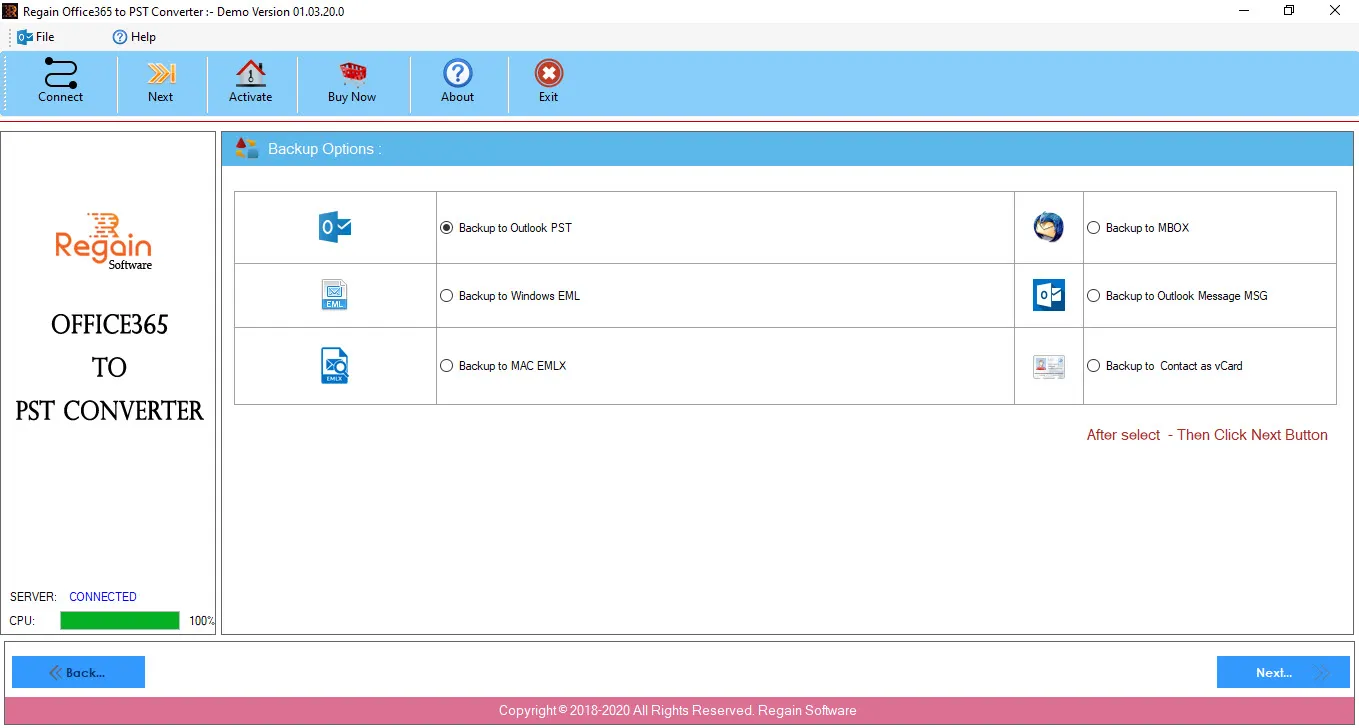
- The available backup options are:
- Backup to Outlook PST (the default-selected)
- Backup to Windows EML
- Backup to MAC EMLX
- Backup to MBOX
- Backup to Outlook Message MSG
- Backup to Contact as vCard
| Output Type |
Description |
| PST |
Microsoft Outlook PST File |
| EML |
Windows Mail Message |
| EMLX |
Mac Mail Message |
| MBOX |
Thunderbird Mail Message |
| MSG |
Outlook Mail Message |
| VCF |
Windows Contact as vCard |