Regain Excel to PST Converter

Using Regain Excel to PST Converter Software

Using Regain Excel to PST Converter software you can migrate Excel and CSV file data as Contact Items or Calendar Items in PST, MSG, vCard, or ICS file formats.

Follow the below steps to convert Excel or CSV file to PST file using Regain Excel to PST Converter software:
  1. Launch Regain Excel to PST Converter software.
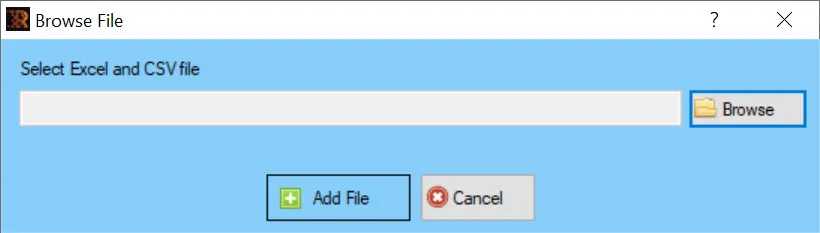
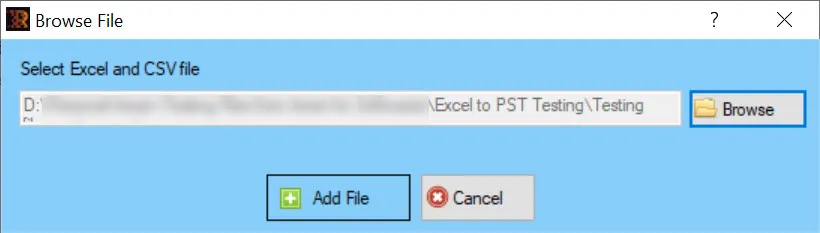
  2. The “Browse File” dialog appears to add an Excel or CSV file.
  3. Click Browse to browse the Excel or CSV file.
  4. Click Add File to add the selected Excel or CSV file for conversion.
  5. The software starts scanning the added Excel or CSV file.
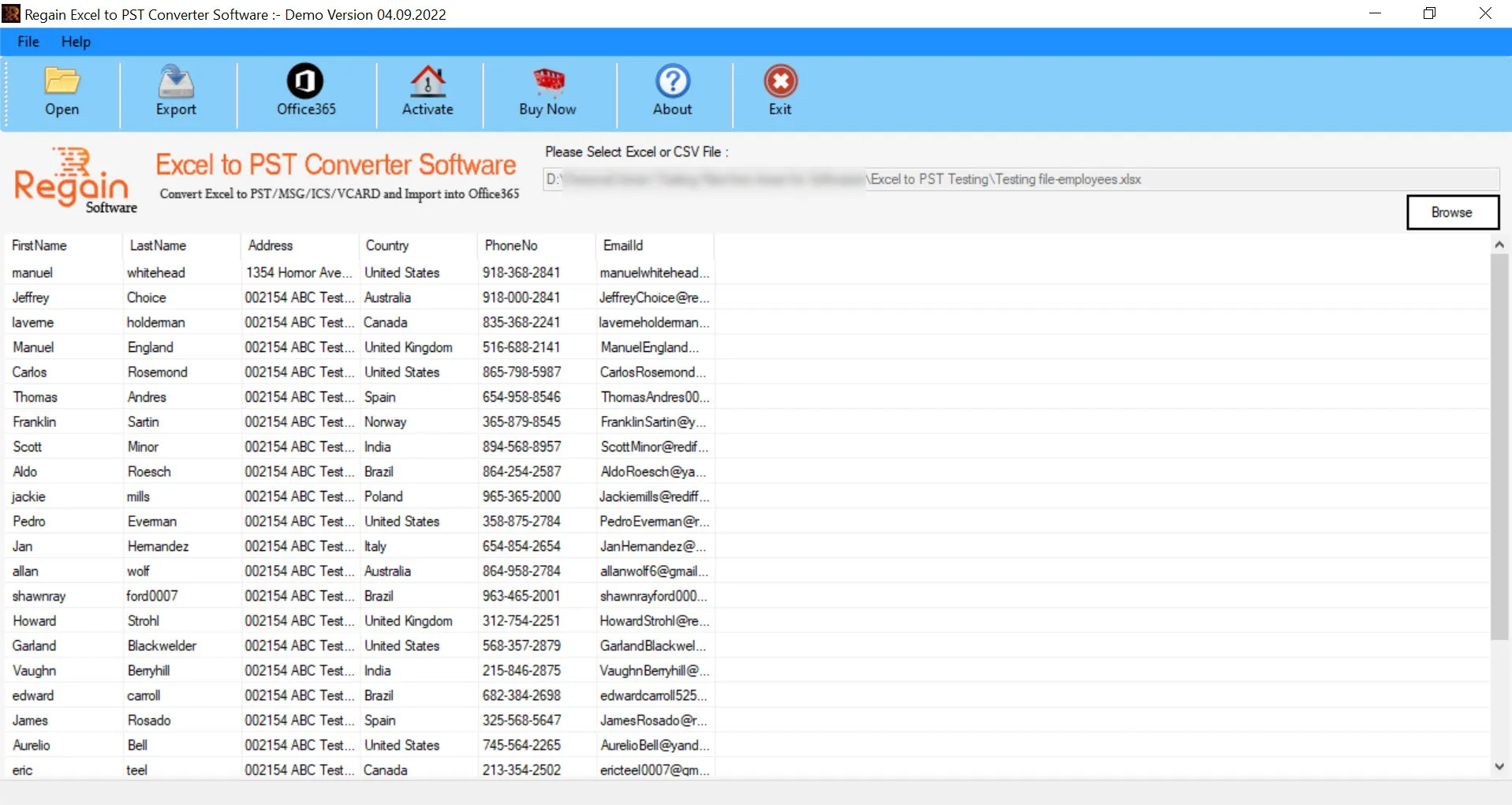
  6. Once scanning is complete, the software displays the Excel file data in display pane with the column headings.
  7. Click File --> Export or click Export button.
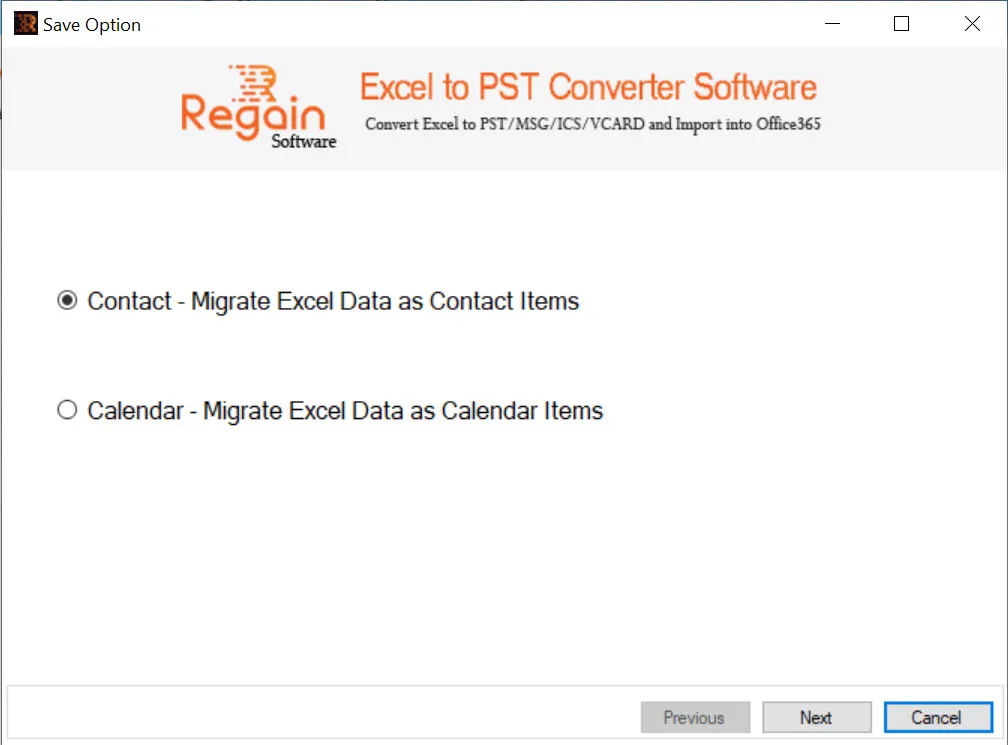
  8. The “Save Option” dialog appears.
  9. Select among the two options:
    • Contact – Migrate Excel Data as Contact Items
    • Calendar – Migrate Excel Data as Calendar Items
  10. Click Next.
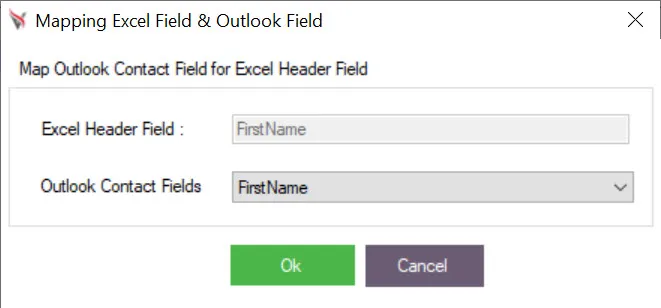
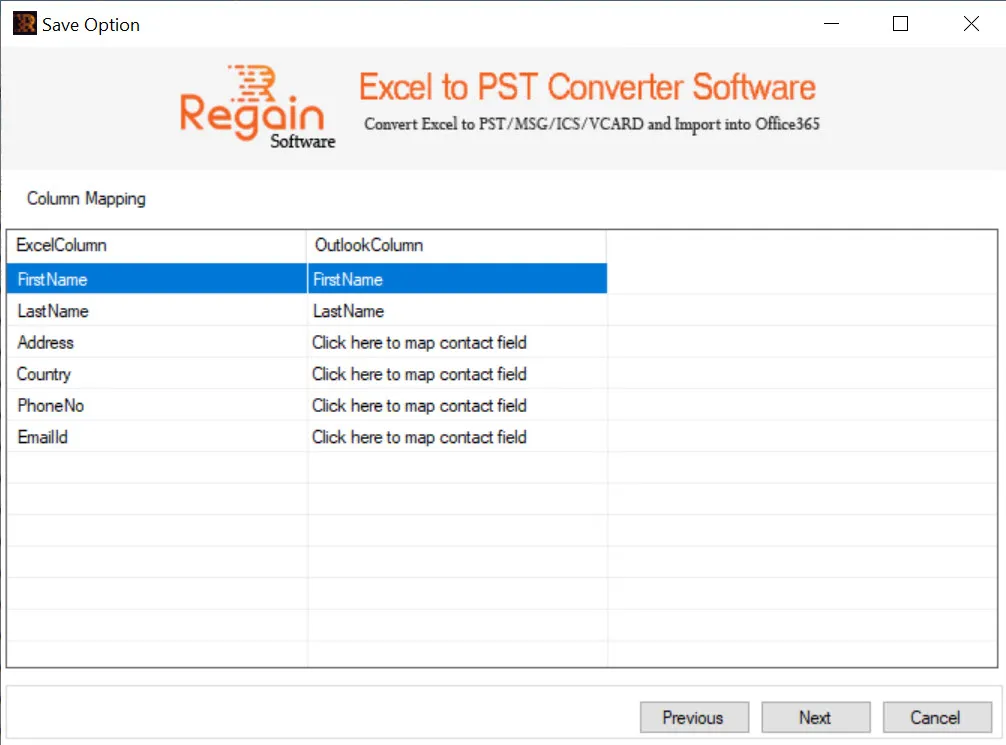
  11. In the Column Mapping window, verify the Excel Header field and Outlook Contact field mapping.
  12. If the Excel Header field(s) are not mapped with Outlook Contact field(s), perform the mapping by clicking on “Click here to map contact field”.
  13. Click Next.
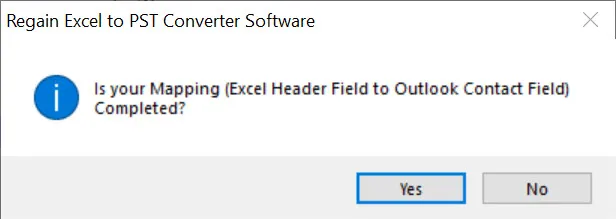
  14. A confirmation window appears “Is your Mapping (Excel Header Field to Outlook Contact Field) Completed?
  15. Click Yes if you are done with Excel Header Field to Outlook Contact Field mapping.
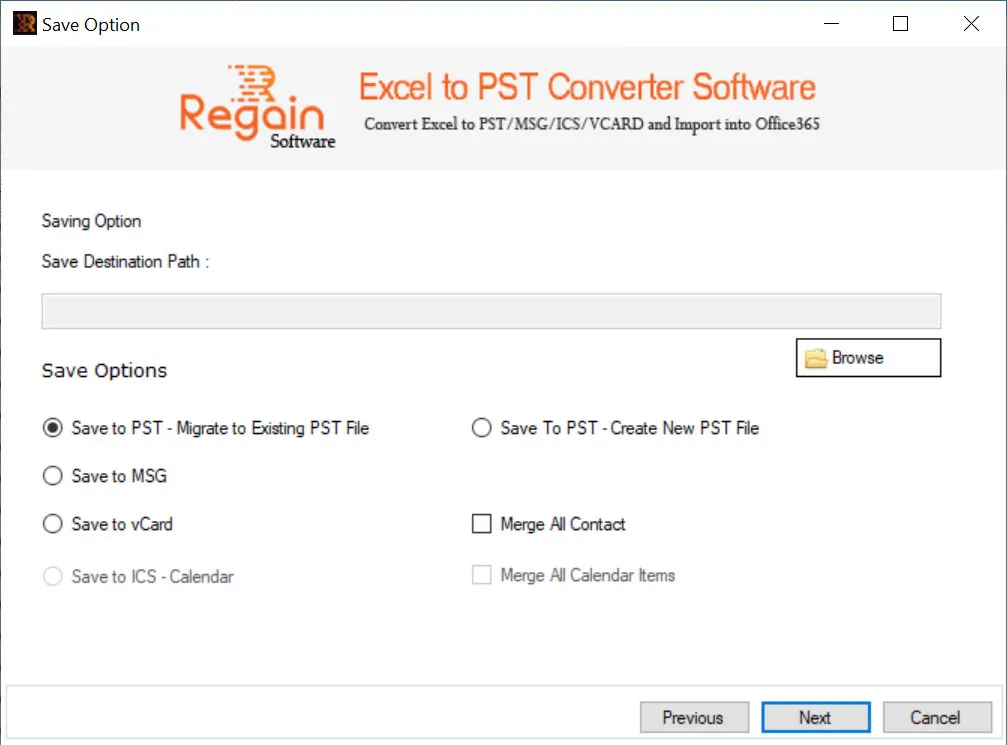
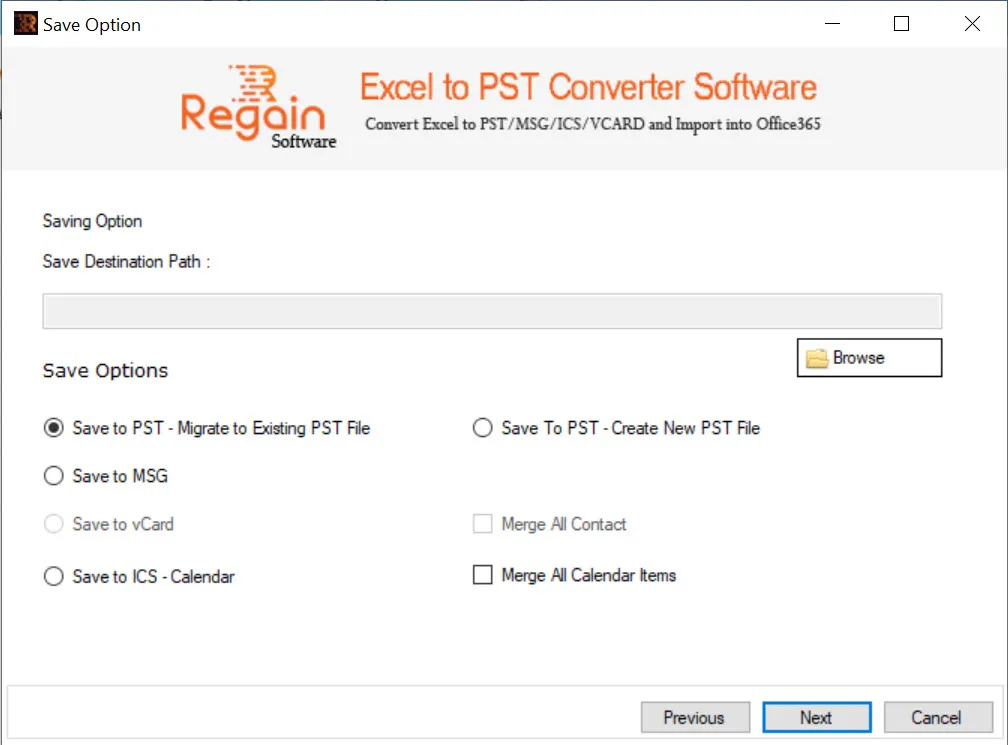
  16. The Saving Option window appears.
  17. Click Browse to provide the desired destination path.
  18. If you have earlier (in Step 8) selected “Contact – Migrate Excel Data as Contact Items”, then available saving options are:
    • Save to PST – Migrate to Existing PST File
    • Save to PST – Create New PST File
    • Save to MSG
    • Save to vCard

    You can select checkbox “Merge All Contact” if you want to merge all the contacts.

  19. If you have earlier (in Step 8) selected “Calendar – Migrate Excel Data as Calendar Items”, then available saving options are:
    • Save to PST – Migrate to Existing PST File
    • Save to PST – Create New PST File
    • Save to MSG
    • Save to ICS - Calendar

    You can select checkbox “Merge All Calendar Items” if you want to merge all the calendar items.