Using Regain OLM to PST Converter Software
Using Regain OLM to PST Converter software you can convert Mac Outlook OLM files to Outlook PST files. The software converts OLM file data in PST file at a user-defined location.
Follow the below steps to convert OLM file to PST file using Regain OLM to PST Converter software:
- Launch Regain OLM to PST Converter software.
- Click File --> Browse or click Browse button. The "Browse File" window appears.
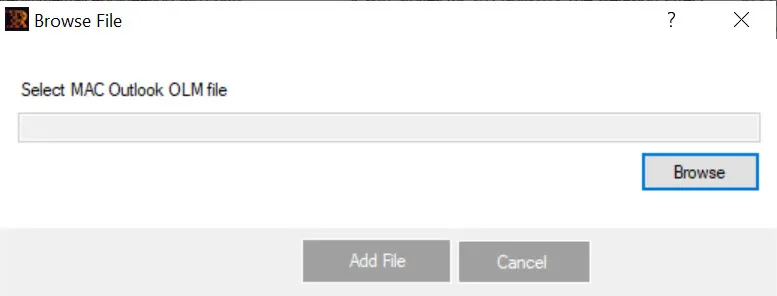
- Click Browse to browse the mac Outlook OLM file.
- Click Add File to add the selected OLM file for conversion.
- The software scans the OLM file and displays the OLM file items enlisted in the Left Pane. Select any folder to view the contents in the Right Pane.
- Select the folder from the Left Pane and click File --> Convert or click Export button to save the email items in the desired file format.
- Click Browse to select the destination path where you want to save the mailbox.
- Select the required format among the available Export Options in which you wish to view the data.
- Click Save Data to continue.

