Basic Authentication - Office 365
To perform Basic Authentication for Office 365 account, follow the steps as:
- Launch Regain Outlook to Office365 Migration software. The home screen of the software appears with Login Status as Not Connected.
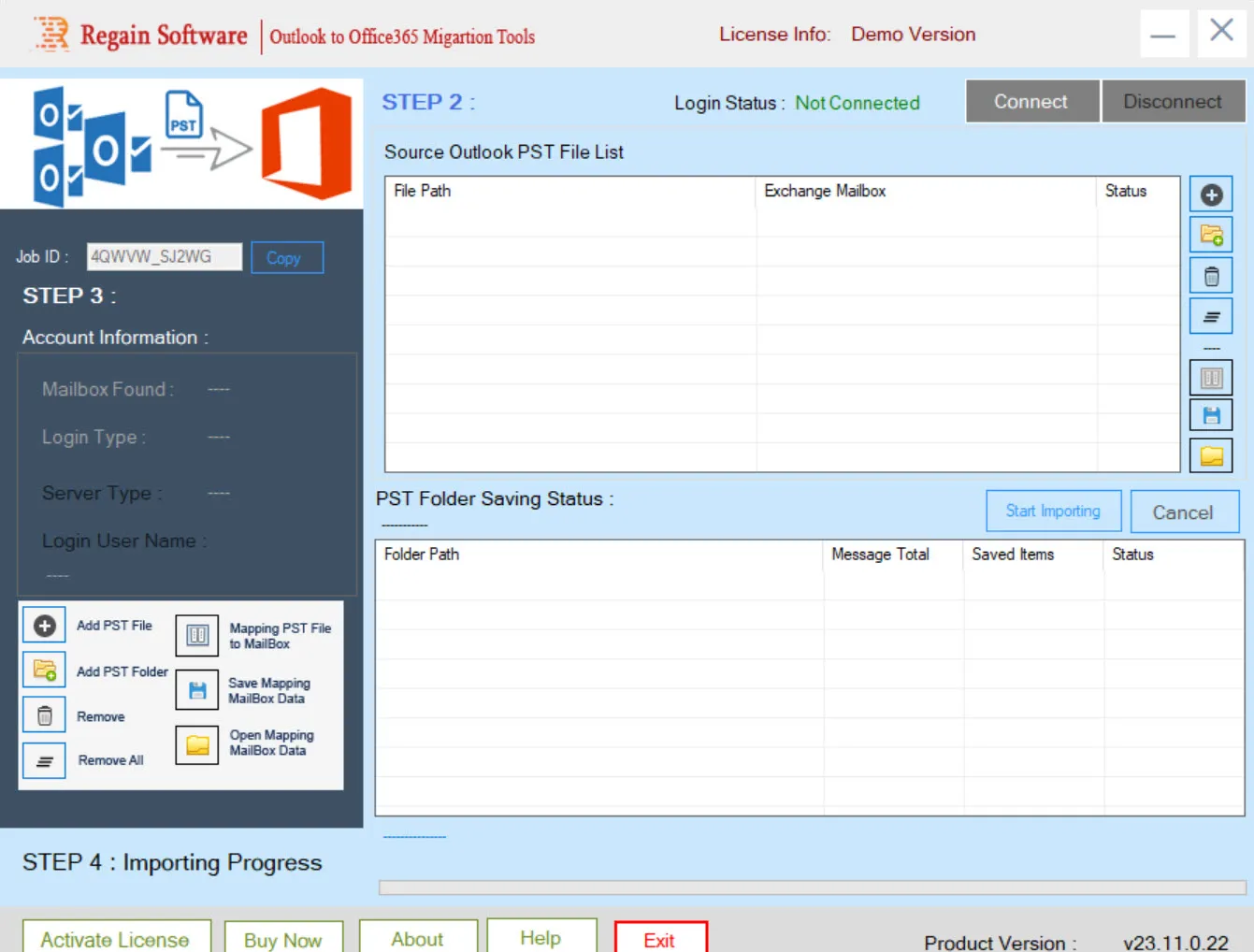
- Click Connect to connect with Office 365 account.
- The Login to Office 365 Account window appears.
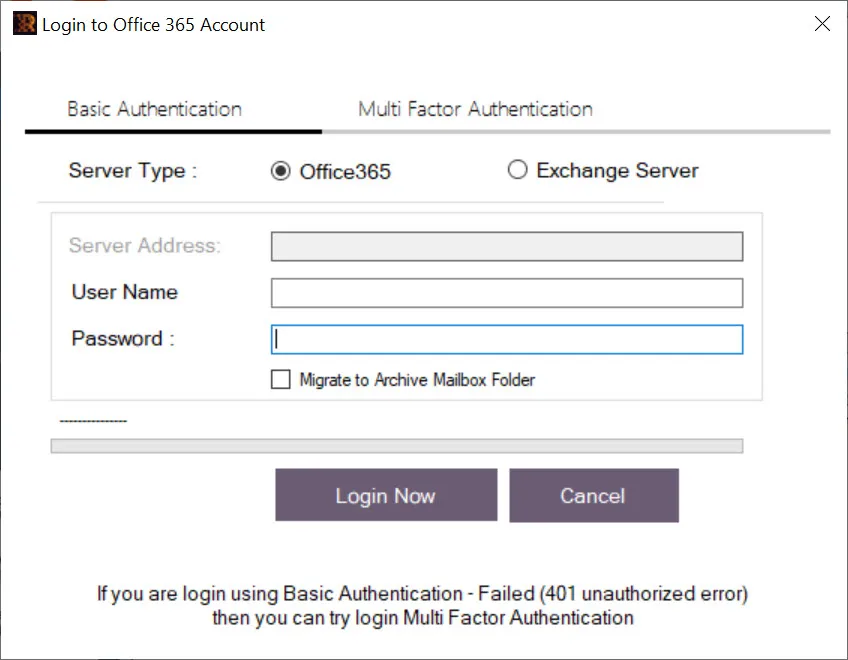
- Under Basic Authentication, select Server Type as Office365 to migrate Outlook PST files to Office 365 account.
- Enter the User Name and Password.
- Select the checkbox “Migrate to Archive Mailbox Folder” if you want to migrate PST files to Office 365 archive mailboxes.
- Click Login Now.
Note: While trying login using Basic Authentication, if you get “Failed (401 unauthorized error), then try login Multi Factor Authentication.

